Mix and master like it's finished.
The TakeTown Audio suite: an AI-assisted mastering chain plus 27 TT- plugins — EQ, dynamics, vocals, clean-up, space and effects. It's free to use for the rest of 2026 while we gather your feedback.
See it in action
What's in the package
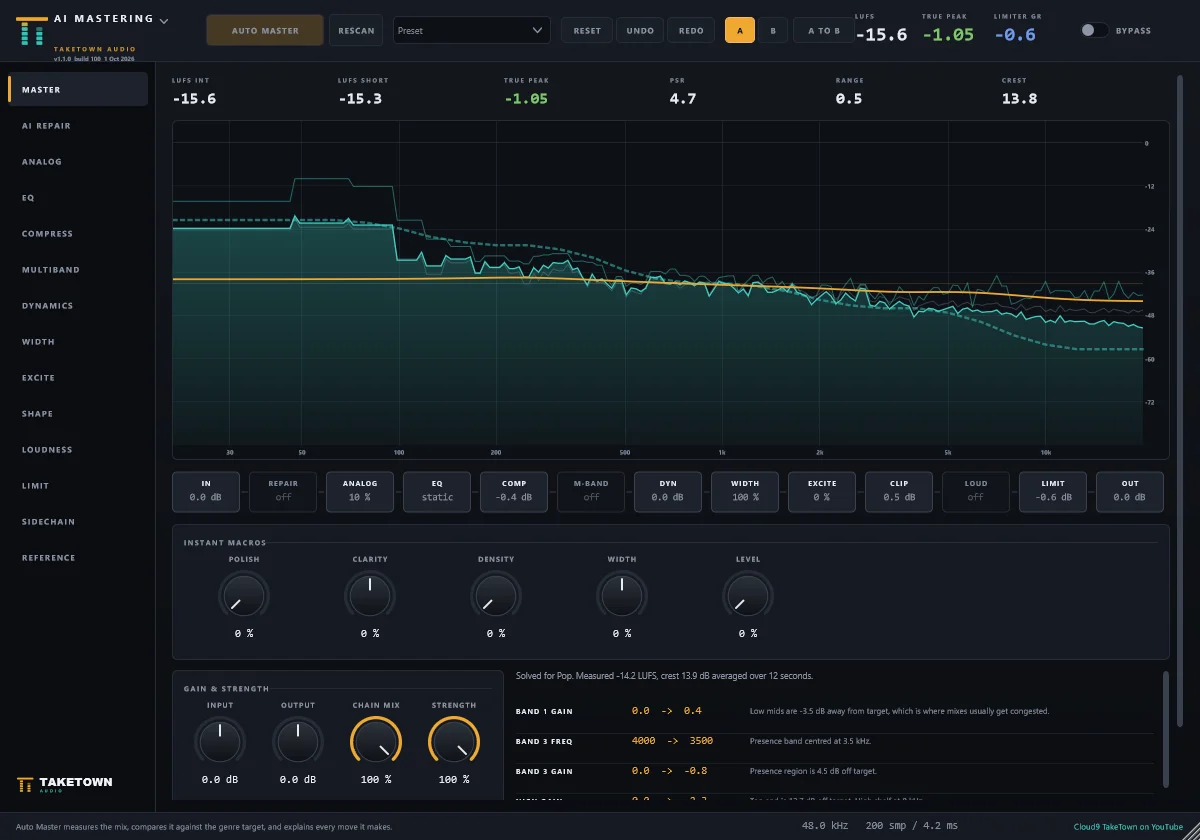
AI Mastering
Listens to your mix and offers three level-matched masters to choose from, then lets you fine-tune every stage.
27 TT- plugins
EQ, compression, vocals, pitch, clean-up, stereo, space and effects, plus two instruments (TT-Wave and TT-Compose) — one consistent look and workflow.
Made for real sessions
Presets, A/B compare, undo, latency-matched bypass and five switchable themes in every plugin.
- AI MasteringThe full mastering chain in one plugin, with Auto Master (a measurement-based solver, not a neural network), A/B, macros and presets.
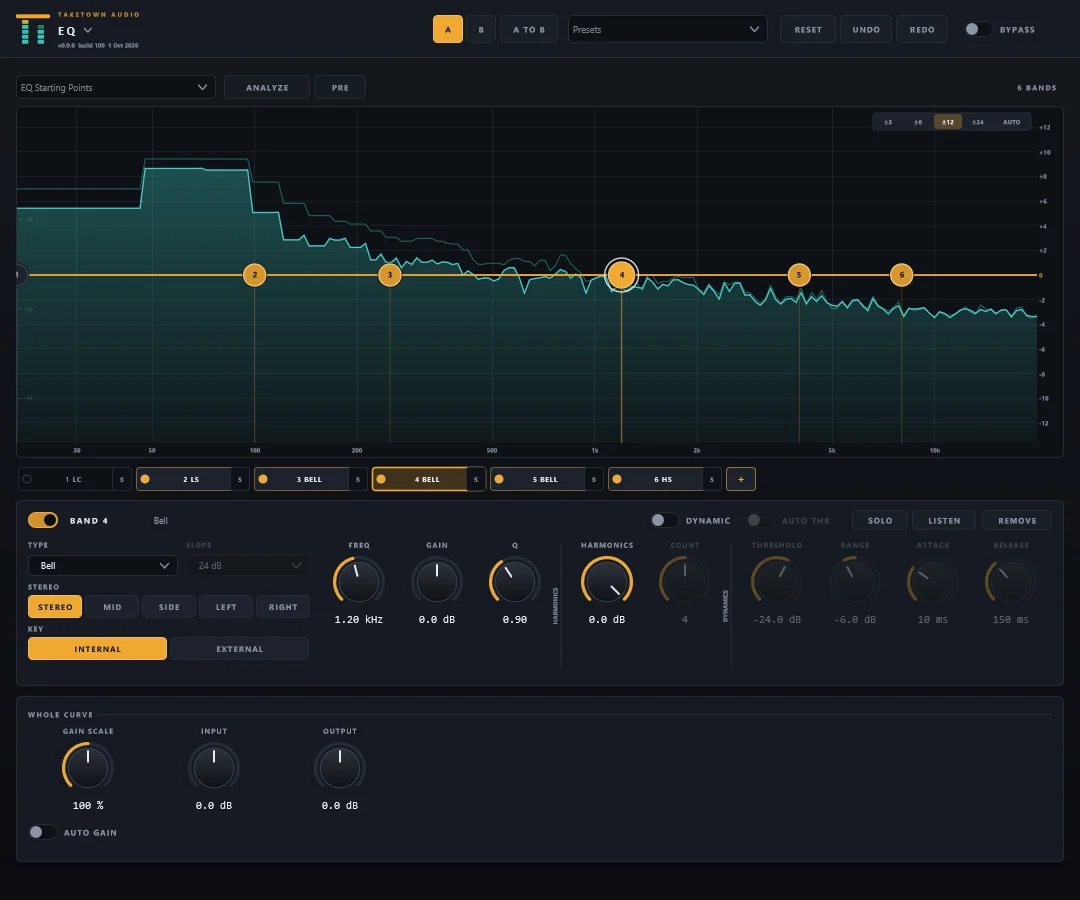
- TT-EQA free-band dynamic EQ with a sidechain.
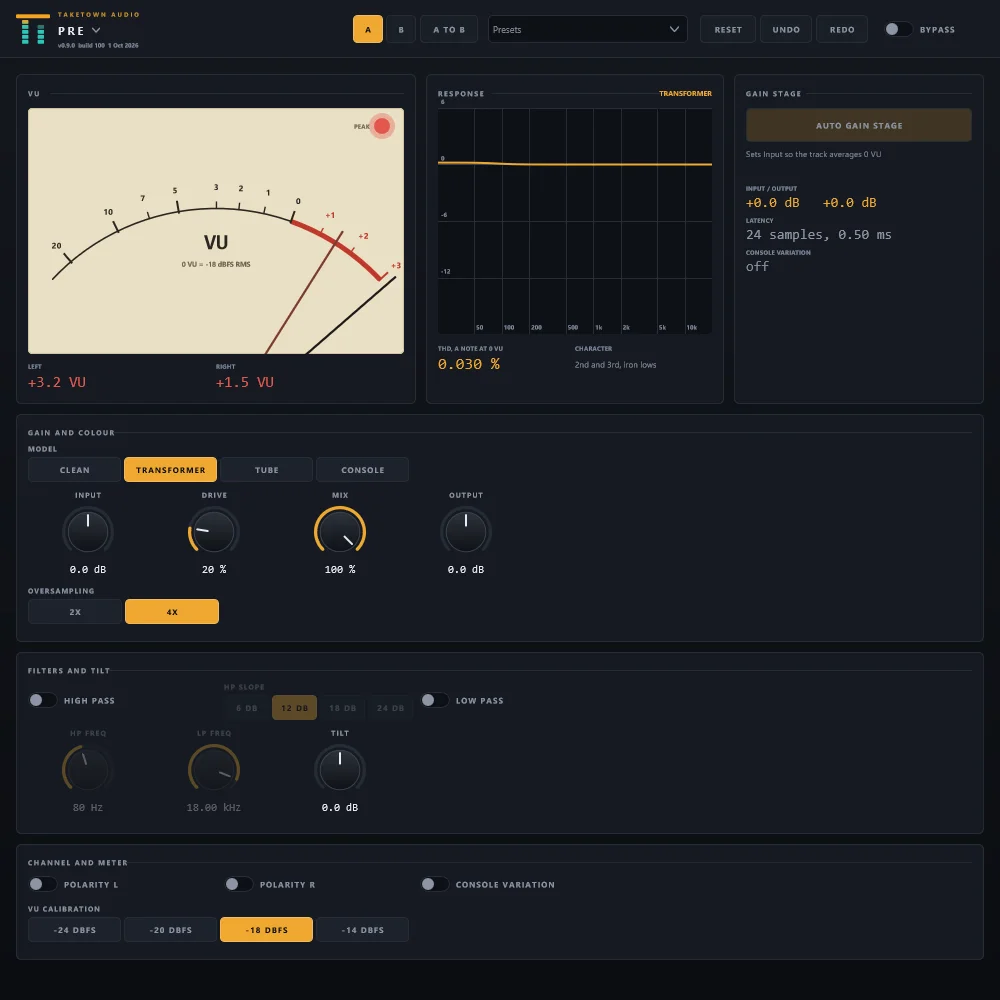
- TT-PreA channel input stage with Auto Gain Stage.
- TT-HarmonicsAnalogue-style saturation focused on a band.
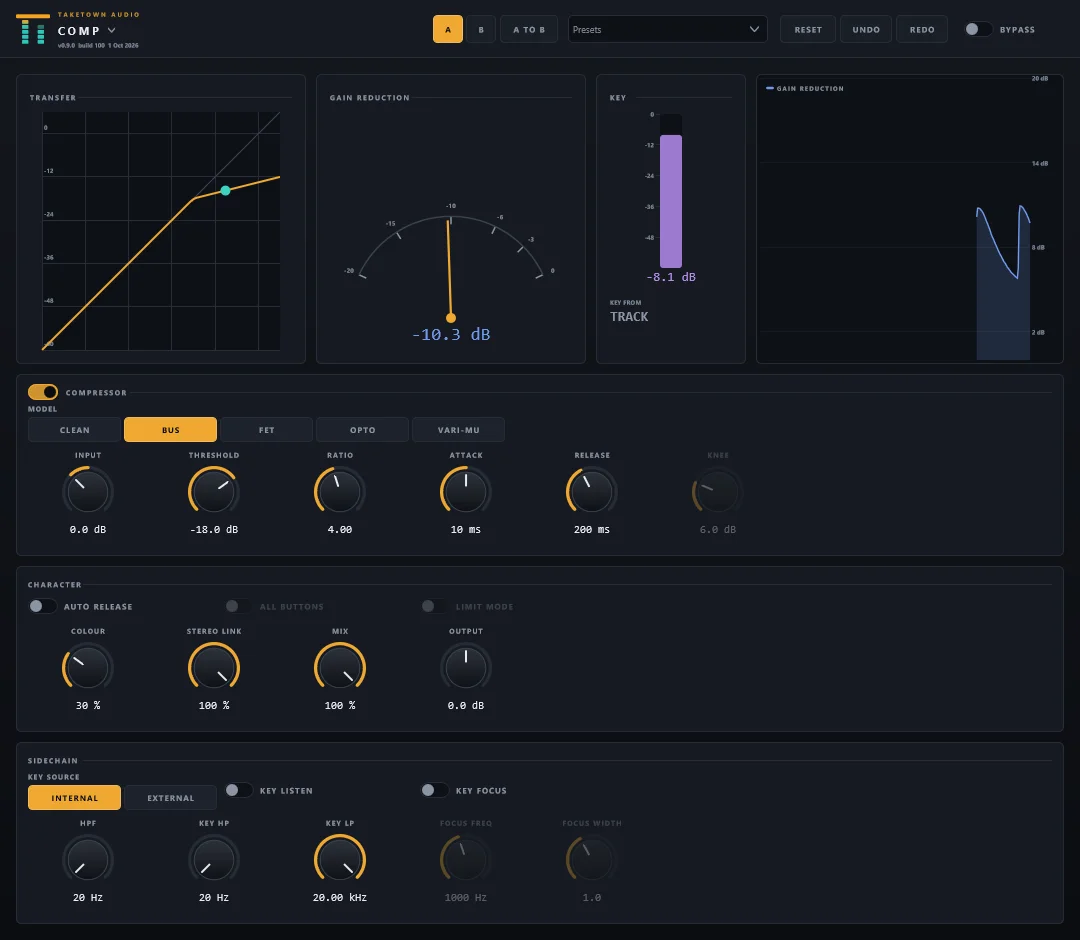
- TT-CompA compressor with five circuit characters.
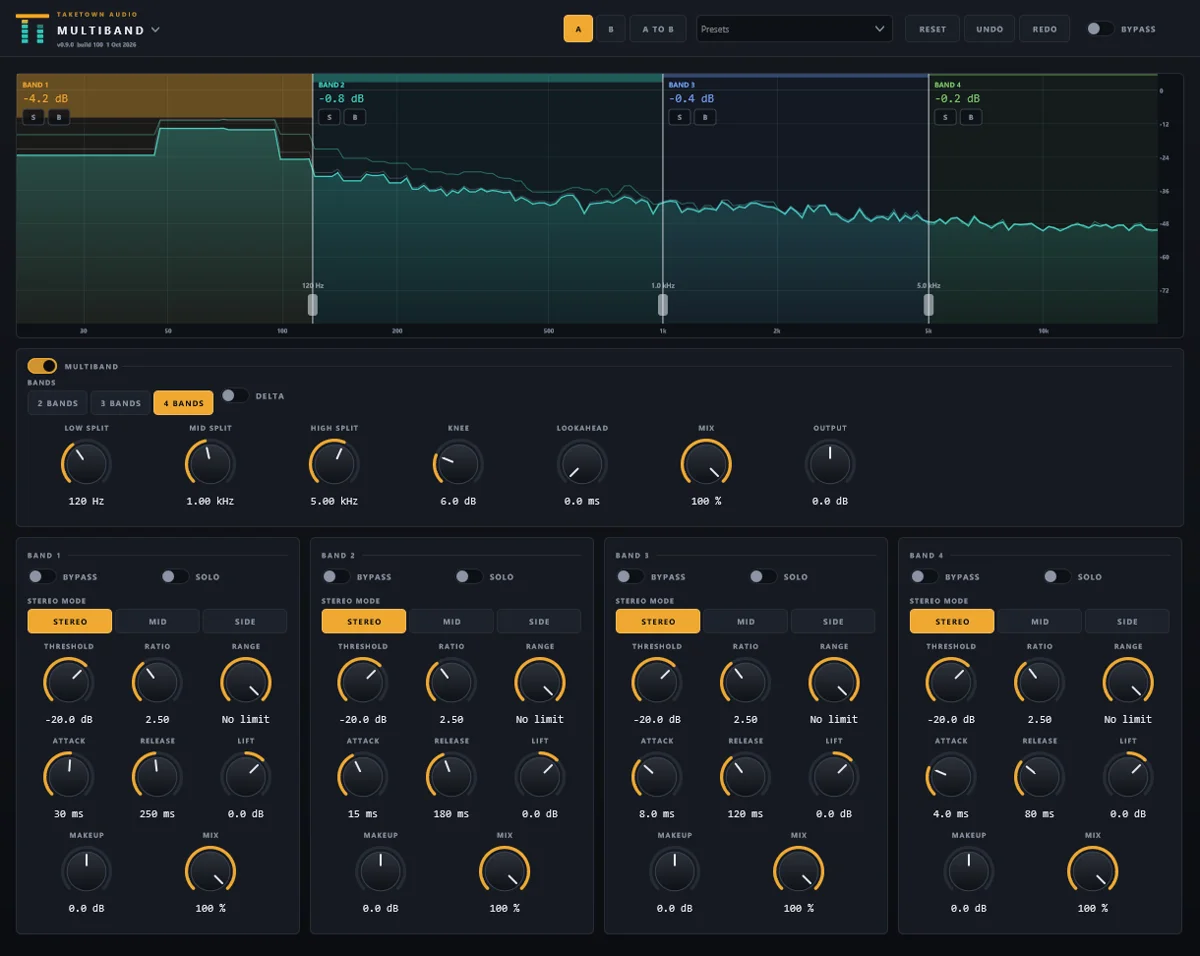
- TT-MultibandUp to four-band compression and expansion.
- TT-LimiterA true-peak limiter with a clipper in front.
- TT-ClipA clipper.
- TT-GateA gate, expander or ducker with a sidechain.
- TT-TransientAttack and sustain shaping.
- TT-DeEsserA de-esser.
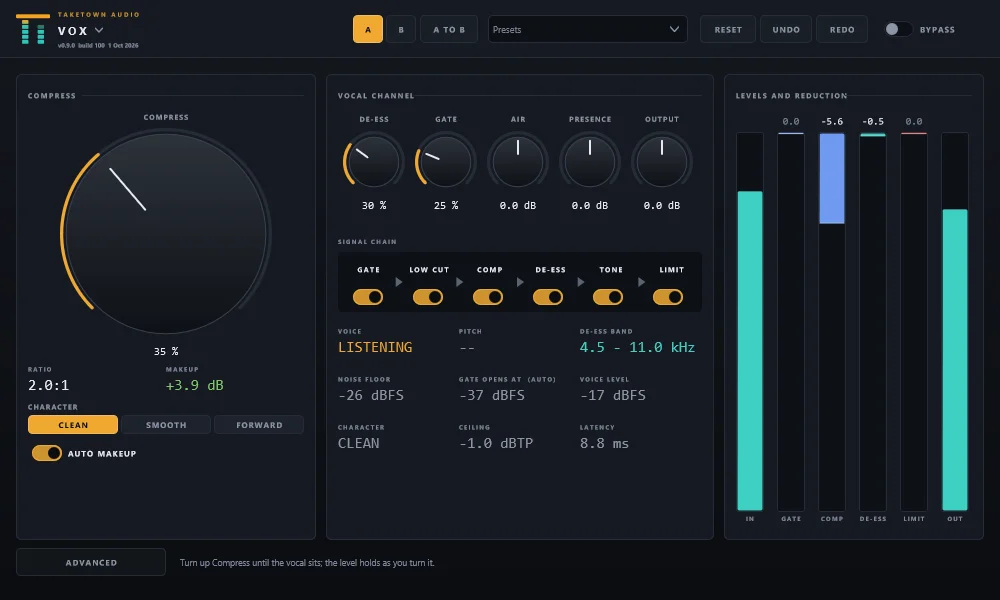
- TT-VoxA one-knob vocal channel.
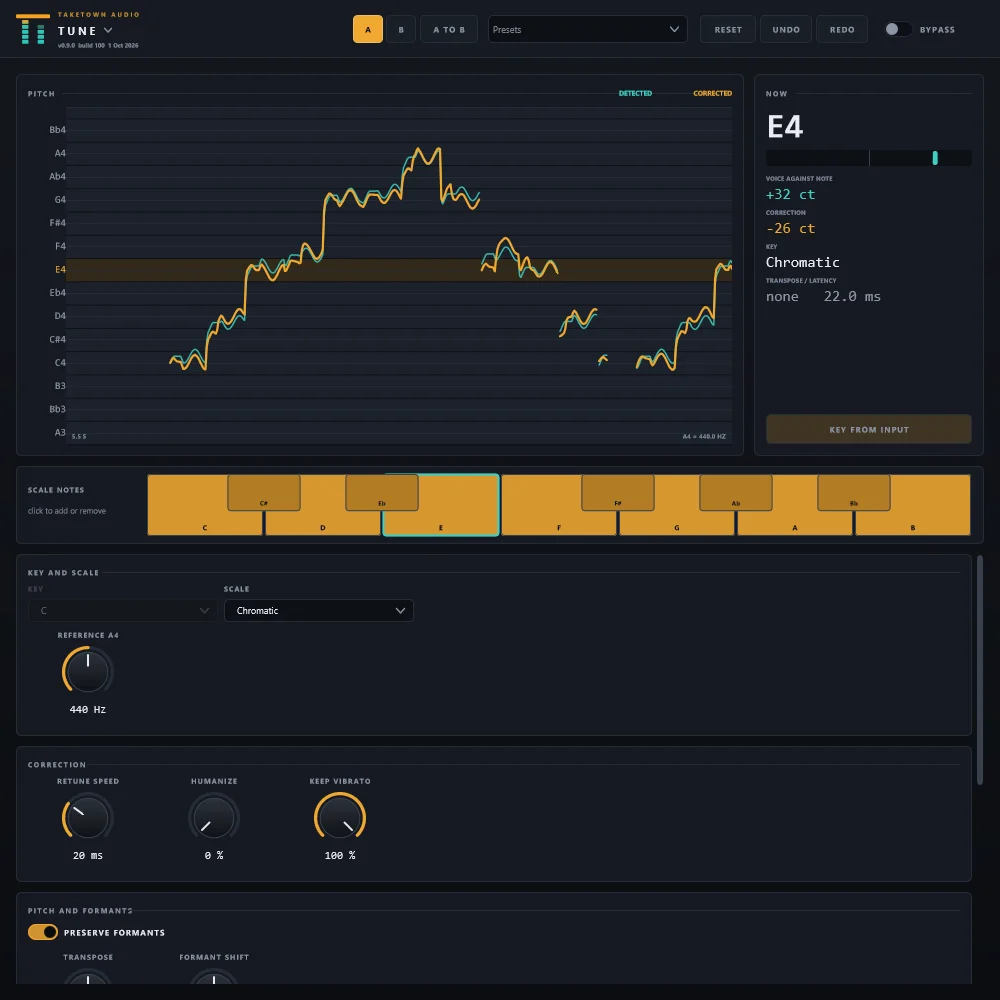
- TT-TunePitch correction for a single voice; also a note editor (ARA) in Studio One.
- TT-ResonanceFinds and tames ringing, harsh frequencies as they happen.
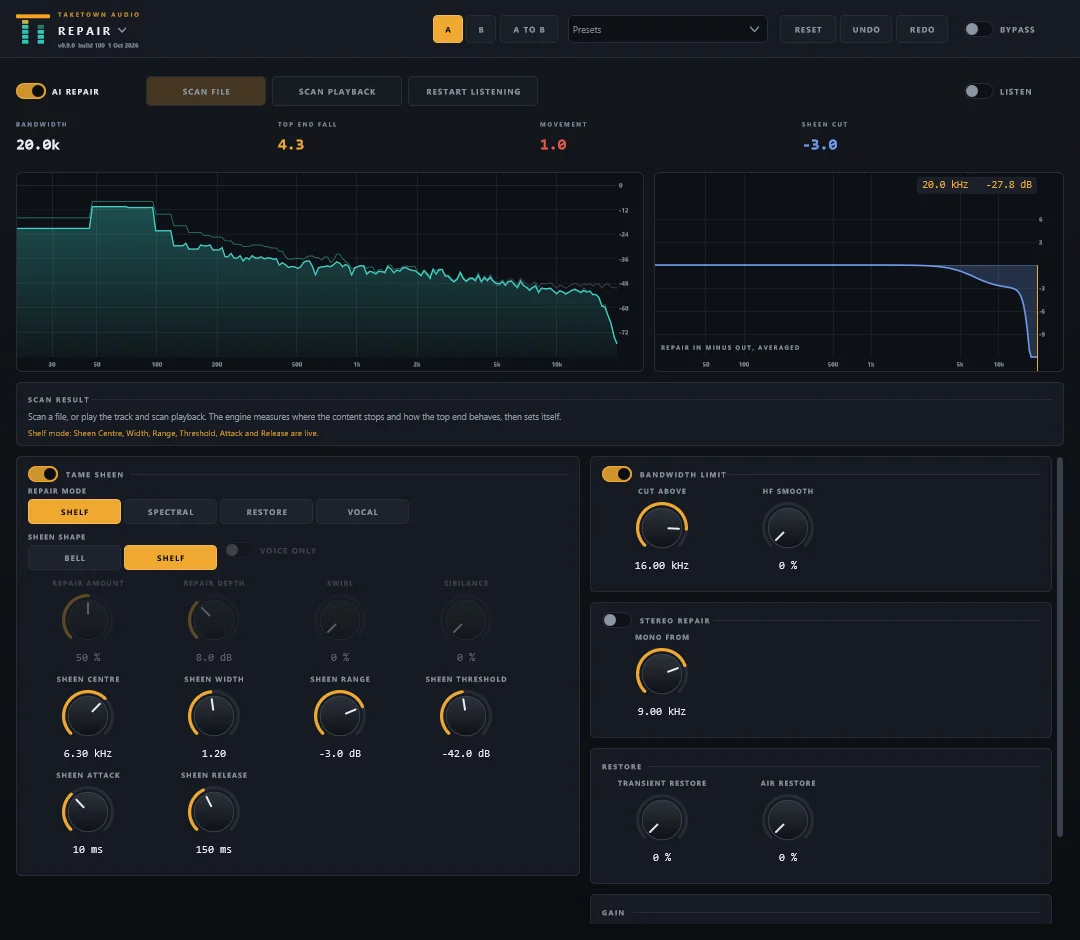
- TT-RepairCleans up the top end of AI-generated and MP3-degraded audio (AI Smooth).
- TT-SpaceCarves room in one track for another, from a sidechain key.
- TT-StereoMono-safe widening.
- TT-DelayA tempo-synced tape delay.
- TT-ReverbFive reverb spaces.
- TT-ModulationChorus, flanger, phaser, doubler, tremolo and more, plus Natural Double.
- TT-AnalyzerMeasures and reports (loudness, key, tempo, spectrum), changes nothing.
- TT-MatchReference matching.
- TT-RiderAn automatic vocal level rider.
- TT-MorphA voice changer (pitch and formants), with a MIDI input.
- TT-PumpTempo-synced volume shaping: the sidechain pump without a sidechain.
- TT-LinkChanges nothing to the sound. It puts a track with no other TakeTown plugin on the AI Link. Free, never restricted.
- TT-WaveA polyphonic wavetable synthesizer, the suite's first instrument.
- TT-ComposeAn instrument that plays the MIDI parts Claude composes, in sync with your song.
Install in a few minutes
- Get your download link. Enter your email above and use the link we send you (check spam if it doesn’t arrive in a few minutes). It gets you the main installer and, if you want it, the AudioToMidi installer.
- Close your DAW (Studio One, REAPER and so on) and Claude Desktop if it’s open. The installer can’t replace a plugin your DAW has loaded.
- Run
TakeTown-Setup-0.9.0-beta.exe. The beta isn’t code-signed yet, so Windows may say “Windows protected your PC”. Click More info, then Run anyway (only for an installer you got from cloud9tn.com). There’s no administrator prompt: it installs for your Windows user. - Keep the suggested components. The installer ticks the integrations for the DAWs and Claude apps it finds on your computer. Click through to finish.
- Optional: install AudioToMidi. Run
TakeTown-AudioToMidi-Setup-0.9.0-beta.exe. It needs an internet connection and downloads about 1.8 GB while it sets up (no Python install needed on your side). - Open your DAW and rescan plugins. They appear under the vendor name TakeTown Audio. Add any plugin to a track or your master bus; each opens with sensible defaults and presets. Studio One, REAPER, Claude setup and troubleshooting are in the Install & setup guide.
Works with
Any Windows DAW that loads 64-bit VST3: Studio One, Cubase, Reaper, FL Studio, Ableton Live, Bitwig and more.
Sorry, Pro Tools users
This beta is VST3 only, so there's no AAX for Pro Tools yet — and no Mac or AU version. They're on our list.
Beta licence
Free to use through December 31, 2026. After that the plugins pass audio through untouched (they never mute your session) until you update.
What’s new
New plugins, features and fixes, newest first.
TT-Wave, TT-Pump and the 0.9.0 beta installers
- NewTT-Wave 1.0.0: a polyphonic wavetable synthesizer, the suite’s first instrument. Sixty factory presets including a Drums category, a resizable editor, and key tracking with noise retrigger for tight, repeatable hits.
- NewTT-Pump 1.0.0: tempo-synced volume shaping, the sidechain pump without a sidechain.
- NewA proper Windows installer with a components page, plus a separate AudioToMidi installer and an install check tool.
- ImprovedAI Link: solo and mute control in Studio One; composed drums arrive as one continuous take.
- FixedLocating by bar now works with the transport bar hidden.
- FixedTT-Pump's window is tall enough for every control without scrolling.
REAPER support and song composition
- NewREAPER bridge: the TakeTown AI tools now work in REAPER too.
- NewAI Link: compose whole songs with performed drums, bass, chords and a melody, written straight into your song as MIDI parts.
- NewMIDI expression (CC and pitch bend) comes with composed parts, plus a suggested tempo.
- NewBuild beats and chord progressions from your own MIDI packs.
- NewControl any VST3 instrument's parameters and presets through the AI Link.
- ImprovedDuplicate tracks, set track colours and edit any insert's parameters.
- FixedMixer paging, values that were already set no longer reported as errors, and steadier locate by bar.
TT-Compose, TT-Tune’s ARA note editor and mix snapshots
- NewTT-Compose 1.0.0: an instrument that plays the MIDI parts Claude composes, in sync with your song.
- NewTT-Tune ARA note editor (ARA 2, edits your vocal right in Studio One’s timeline): timing and stretch, split and join, drawn pitch, volume and formant envelopes, Align, and Harmony with Auto Harmony.
- NewMix snapshots: snapshot, compare and recall your mix, with one-step undo of AI changes.
- NewAudio to MIDI: batches, drum kit maps, key detection and stick-to-key.
- NewSound design by prompt for your instruments.
- ImprovedSound revision: AI Mastering 1.4.0, TT-Repair 1.3.0 and TT-Limiter 1.1.2.
- ImprovedEvery plugin: clean switch-on, lower idle CPU, Learn & Hold and Auto Makeup.
- FixedTT-Tune: no pitch spikes on notes moved a long way, and no tails at note edges.
AI Smooth and a smarter TT-Tune
- NewAI Smooth in TT-Repair 1.2 and AI Mastering 1.2, with the new Shelf mode as the default.
- NewTT-Modulation 1.2.0: Natural Double.
- NewTT-Tune 1.1: Flex-Tune, Retune Delay, note transitions, per-note bypass, natural and created vibrato, Classic and Hard Tune modes.
- NewAI vocal smoothing for sung parts.
- FixedTT-Tune: a fresh instance and the natural presets now audibly tune a real voice.
TakeTown AI Link, TT-Rider and TT-Morph
- NewTT-Rider 1.0.0: an automatic vocal level rider that writes its fader.
- NewTT-Morph 1.0.0: a low-latency voice changer with MIDI input.
- NewTakeTown AI Link and TT-Link 1.0.0: your plugins report live to Claude through a local hub on your computer.
- NewStudio One control from Claude: transport, faders, mute, solo, pan, sends, buses and routing, through the TakeTown Link control surface.
- NewAudio to MIDI: turn a track's audio into a tempo-aligned MIDI file.
Six new plugins, A/B everywhere and themes
- NewTT-Gate, TT-Tune, TT-Pre, TT-Vox, TT-Match and TT-Clip, all 1.0.0.
- NewTT-EQ 2.0: a free-band dynamic EQ with 24 bands and a sidechain.
- NewTT-Comp 1.2 external sidechain with key filter; TT-Resonance 1.2 sensitivity nodes, sidechain and L/R/M/S targets.
- NewMastering Assistant: Auto Master offers three masters to audition and choose from.
- NewA/B compare on every plugin, five built-in themes and your own themes.
- FixedTT-Clip's Gentle Tape Edge holds a −1 dBTP ceiling; TT-Pre's Auto Gain Stage ignores pauses; the exciter adds harmonics, not noise.
The TT- plugin line
- NewTT-EQ, TT-Harmonics, TT-Multiband, TT-Comp, TT-Delay, TT-Reverb, TT-DeEsser, TT-Resonance, TT-Repair and TT-Limiter.
- NewTT-Space, TT-Stereo, TT-Transient, TT-Modulation and TT-Analyzer.
- NewFactory presets, a Reset button on every plugin and latency-matched bypass.
- NewTT-EQ Analyze finds resonances, whistles and clicks and marks them on the curve; zoom and fine drag.
- FixedPresets, the Multiband switch and Harmonics distortion; Reverb Size and Diffusion are now audible.
AI Mastering
- NewAI Mastering: the full mastering chain on eleven pages, with a repeatable Auto Master.
- NewAI Repair page with Strength control and a vocal mode; draggable EQ nodes.
- NewUser presets, undo and redo, and a sidechain EQ.
- FixedReset, the preset menu and the loudness page; the exciter's harmonics.
Tell us what you think
This is a beta, so your ears matter. Tell us what sounds great, what feels awkward, and anything that breaks — include the plugin name and the build number shown in the plugin's header.
Beta software
These plugins are still being tested. Save your sessions often, and keep a backup of important projects while you try them.